Tag your asset · Visualize its location
Know who has every asset.
Tagvi is asset tracking software for company equipment — one live register for every laptop, phone and monitor, with handovers signed by both sides.
Sound
familiar?
If your team still tracks equipment on paper and in Excel, you’ve heard all of these. Tagvi makes them stop.
See how Tagvi fixes it →“Who has the old ThinkPad?”
Nobody knows where the equipment is right now.
“She left — the monitor didn’t come back.”
Offboarding turns into chasing people for weeks.
“The handover form is in a binder… somewhere.”
Paper procese-verbale get lost, unsigned or outdated.
“Our asset list is an Excel from 2023.”
Nobody trusts it, so nobody updates it.
Your asset list, finally up to date.
Today: paper & Excel
- Handover forms get lost or never signed
- Nobody is sure who holds what
- Offboarding means chasing people
- The Excel list is always out of date
- No trail when a handover is disputed
With Tagvi
- Handovers signed by both sides
- See who holds what — right now
- Returns are signed too
- One live register, imported from Excel
- Each step recorded, each PDF numbered
Ready to leave the paperwork behind?
Handovers,
signed by both sides.
- 01
Create it in two clicks
Pick the person and the assets — the proces-verbal fills itself in.
- 02
You sign on screen
Draw your signature with a mouse, finger or stylus.
- 03
They sign from an email link
A one-time link — no account, no app. Only then is the asset theirs.
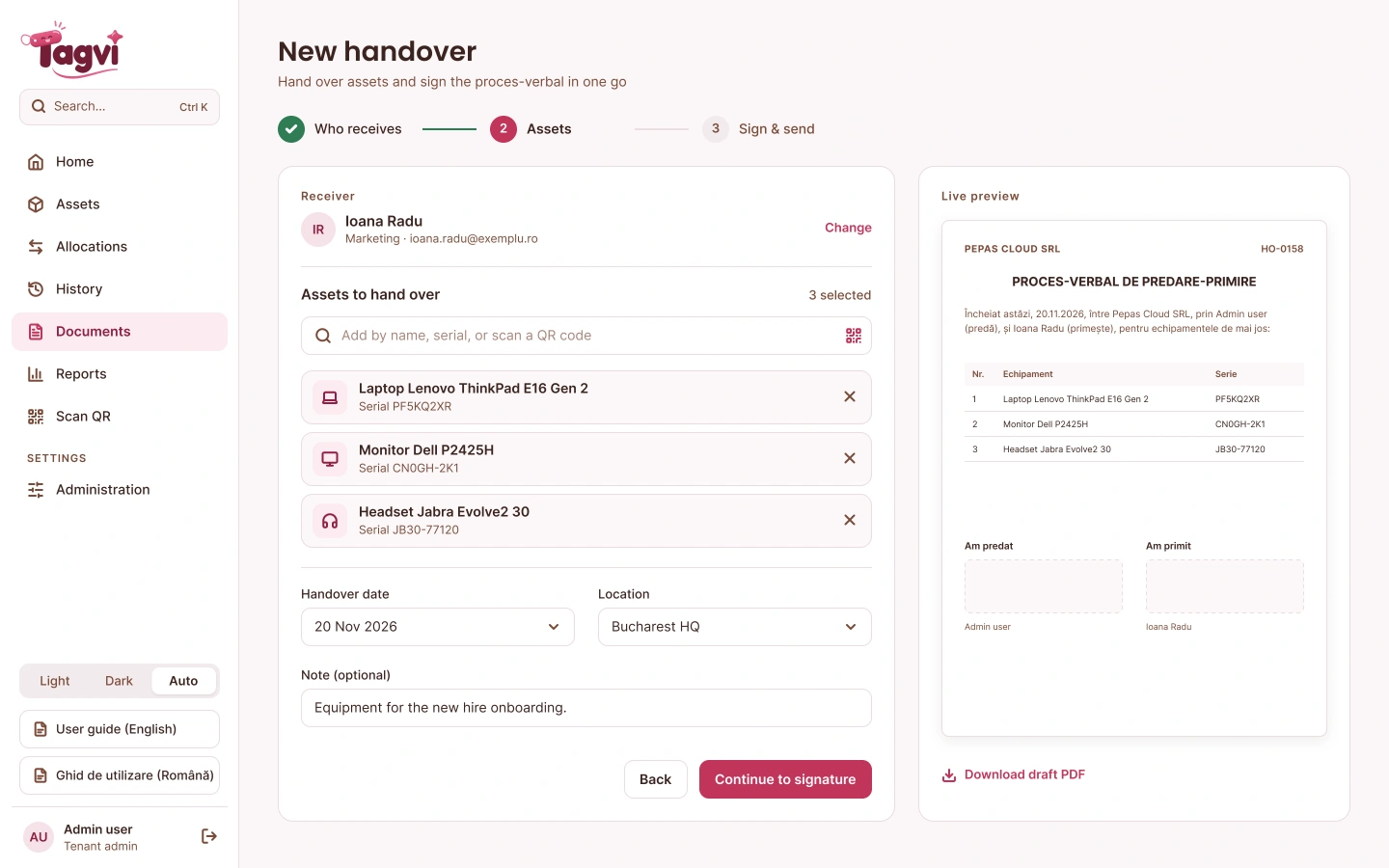
Each document gets an audit annex: date, time and IP of both signatures.
The rest of what you need,
already built in.
Live register
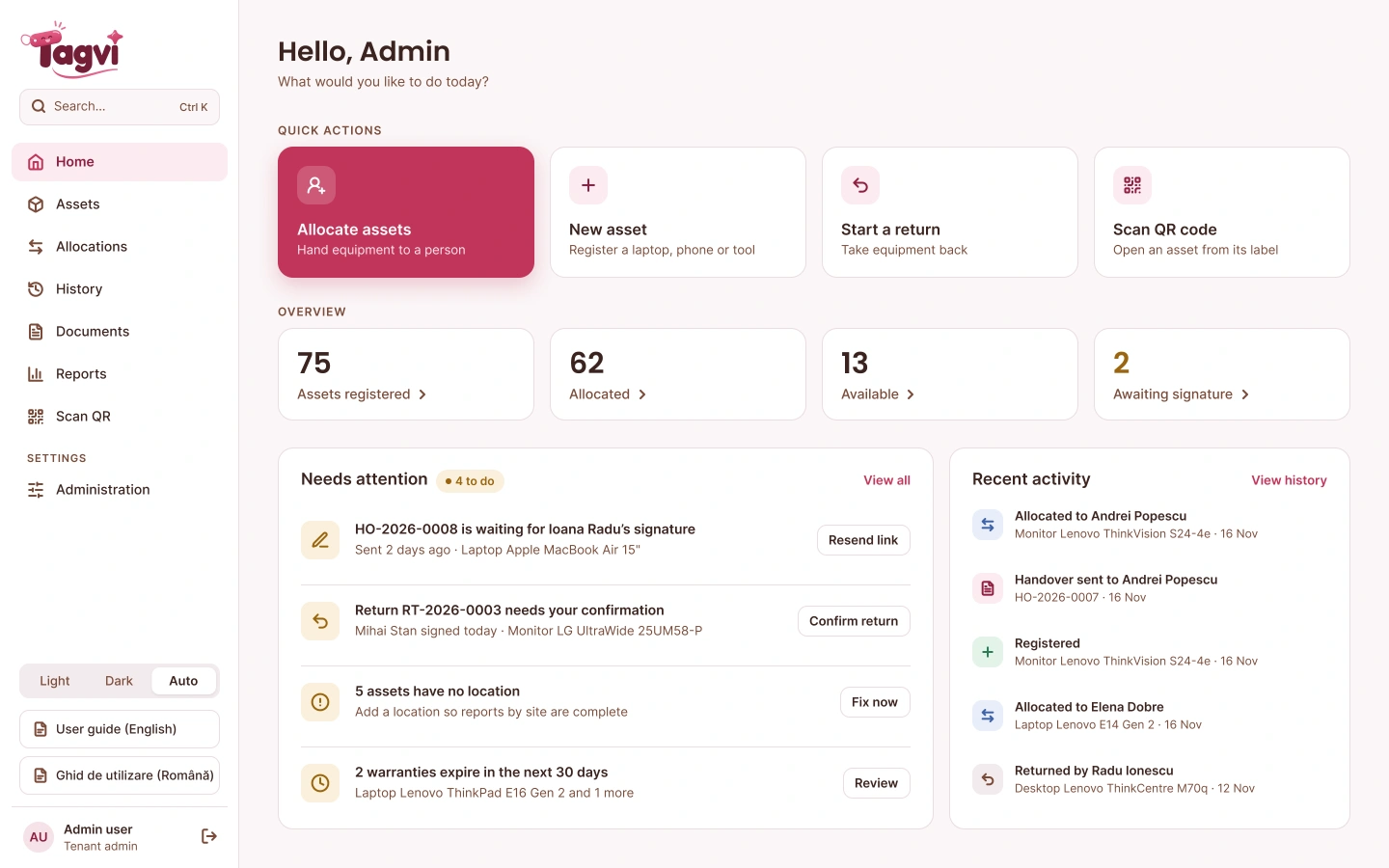
Laptops, phones and monitors with brand, model, serial, location, cost center and warranty.
Signed returns
When someone leaves, the holder signs, an admin confirms and the assets are free again.
Full history
Registrations, edits, handovers and returns — with who did it and when.
Live reports
Allocated vs. available, by category, location or cost center, plus warranty expiries.
QR labels & mobile
Print a label, scan it from the phone’s browser and the asset opens. Nothing to install.
Your company, your rules
Your logo, legal details and wording on all documents. Your own lists and statuses.
Tag your assets,
visualize their location.
Tag
Identify, label and organise your assets — laptops, equipment, furniture and other resources.
Vi
Short for visibility: see exactly what you own, where it is, who is responsible and its status.
All four, at a glance.
Up and running in a day.
Attributes and users
Add your categories, statuses, locations and departments, then add the people who use Tagvi.
Import your Excel
Fill in the template and bring in all your assets at once. Equipment already handed out comes in as allocated, so you don’t redo past handovers.
Print QR labels
Stick a label on each device to open it with a scan.
Simple pricing. Zero asset limits.
Every feature included. Unlimited assets. One predictable monthly subscription.
Start
39 €/ month
- Up to 50 employees
- 2 admins
- All features
- Unlimited assets
BusinessPopular
99 €/ month
- 51–250 employees
- 5 admins
- All features
- Unlimited assets
Pro
239 €/ month
- 251–1,000 employees
- 10 admins
- All features
- Unlimited assets
Enterprise
599 €/ month
- 1,001–5,000 employees
- 25 admins
- All features
- Unlimited assets
Not sure which plan fits?
Questions, answered.
Tagvi is web-based asset tracking software from Pepas Cloud. Companies use it to keep a live register of their physical equipment — laptops, phones, monitors, furniture and more — and to record who holds each item, with handover and return documents signed online by both sides. It tracks company equipment, not financial investments.
No. They receive assets and sign from a one-time email link. Only administrators sign in to the app.
Each signature is saved on the PDF with an audit annex: date, time and IP address.
Yes, in the phone’s browser. Scan a QR label and the asset opens — nothing to install.
Companies that hand out equipment to employees, from small teams to organisations with up to 5,000 employees. It is typically used by whoever issues equipment and gets it back: IT, HR or office administration.
Yes. Download the template, fill it in and import all your assets at once — or export the register any time.
Start a return from their handover. The holder signs, an admin confirms and the assets are free again.
Yes. Set your legal details and logo once, and edit the text of handover and return documents.
Still have questions? Ask us directly.
See it with your own assets.
A short discovery call about your assets and how Tagvi fits your team.